
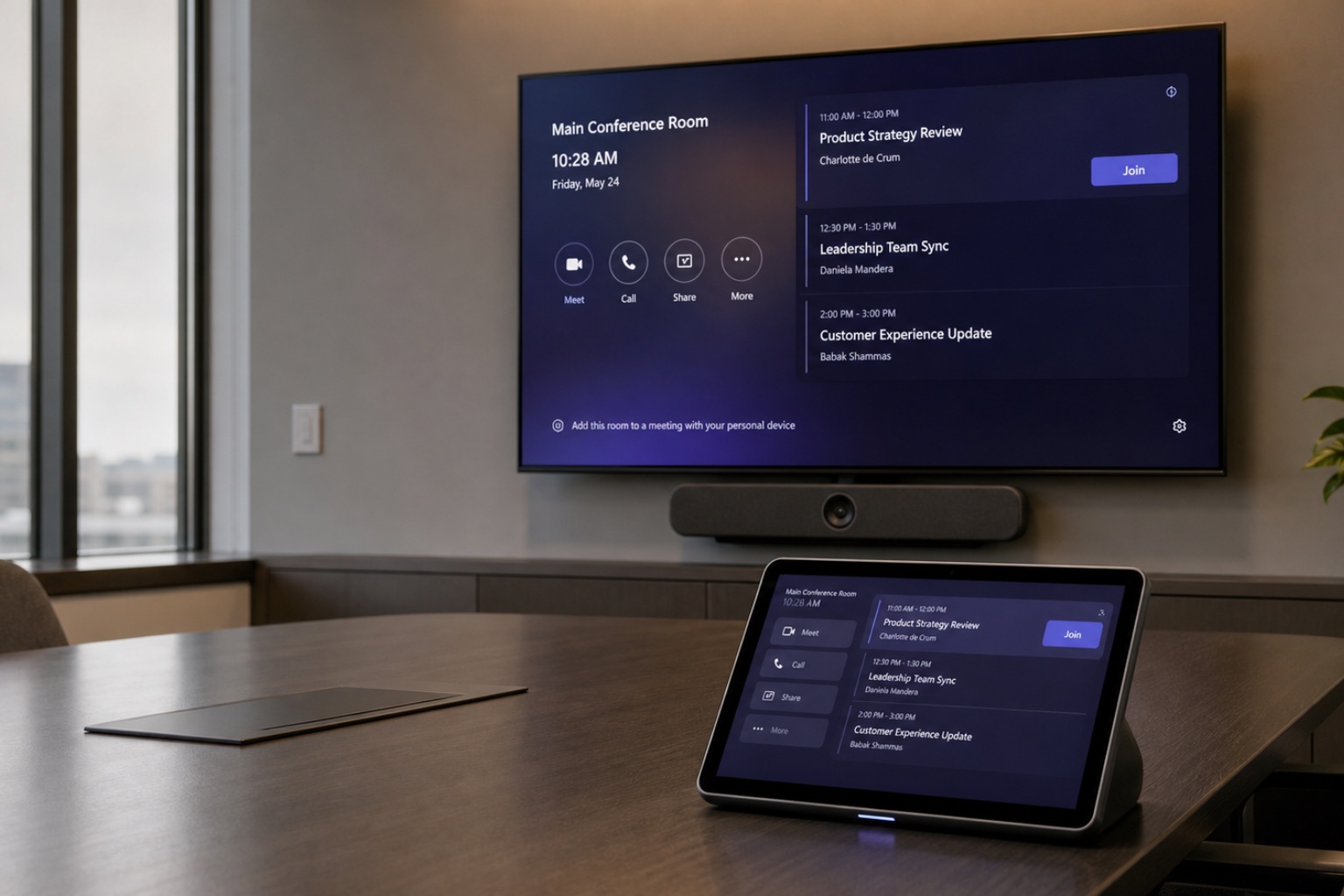
The Current Landscape of Microsoft Teams Rooms Deployment in Michigan
To accurately baseline your Microsoft Teams Rooms deployment budget, it is critical to separate the certified hardware bill of materials from integration labor and recurring licensing. In commercial sectors throughout Metro Detroit, Grand Rapids, and Lansing, corporate infrastructure modernization heavily involves upgrading legacy unified communications platforms to certified Microsoft Teams Rooms. Because supply chain fluctuations and localized mechanical constraints dictate total capital expenditure, IT leaders demand regionalized baseline numbers to architect scalable workspace standards.
The total cost of a meeting space deployment goes far beyond just procuring an all-in-one soundbar and a PoE touch panel. Complete integration encompasses display procurement, complex structural mount installation, high-grade plenum cable runs, network switch provisioning, and extensive post-installation audio commissioning. Disregarding these ancillary line items inevitably leads to unforeseen budget overruns and compromised project timelines. Enterprise technology buyers must view room deployments as holistic construction projects rather than simple IT peripheral deployments.
Furthermore, organizations headquartered in commercial hubs like Troy and Flint are increasingly establishing audiovisual parity between their central corporate offices and their remote satellite branches. This requirement for uniform employee experiences means that Michigan-based standards are frequently replicated nationwide. Consequently, engineering a precise, repeatable budget framework at the regional headquarters level ensures cost predictability when rolling out subsequent phases across varying geographical labor markets.
Core Hardware Cost Drivers: From Compute to Peripherals
The foundational cost of any Microsoft Teams Rooms certified hardware begins with the chosen processing architecture. Organizations face a baseline decision between Android-based collaboration bars, such as the Logitech Rally Bar or Poly Studio X52, and modular compute engines running MTR on Windows, like the Lenovo ThinkSmart Core. Android appliances typically command a lower initial capital investment and require fewer complex cable pathways. Conversely, Windows-based modular architectures require larger upfront budgets but offer significantly enhanced peripheral connectivity via USB extensions and dedicated digital signal processors.
Peripheral capabilities introduce massive variability into the hardware budget, particularly as room sizes scale from standard small spaces into large configurable training rooms. Deploying intelligent, multi-lens camera systems designed for advanced presenter tracking fundamentally alters the required investment. Furthermore, the inclusion of dedicated physical touch controllers configured for one-touch join functionality scaling across multiple network subnets demands robust commercial-grade hardware that far exceeds consumer technology pricing.
Audio processing represents the most critical differentiator in premium boardroom deployments. While native soundbars perform adequately in acoustically treated medium spaces, glass-heavy boardrooms demand ceiling-mounted microphone arrays like the Shure MXA920. Implementing ceiling microphones necessitates networked audio infrastructure, including a Biamp TesiraFORTE or Q-SYS Core digital signal processor, separate Dante network routing, and distributed ceiling speakers. This transition from standard USB audio to networked DSP audio is the primary catalyst for severe cost increases in larger meeting environments.
- Dedicated Windows compute engine or Android appliance (codec)
- Motorized PTZ camera or intelligent multi-lens director camera
- Commercial unified communications touch panel (table or wall mounted)
- Networked audio DSPs, ceiling microphone arrays, and distributed ceiling speakers
- Primary and secondary commercial large-format displays (ranging from 65-inch to 98-inch)
- Plenum-rated Category 6A cabling, HDBaseT transmitters, and USB extension architectures
Licensing Microsoft Teams Rooms: Basic vs. Pro
At the core of the financial equation is the Microsoft Teams Rooms Pro license, which operates at $40.00 per room, per month, paid on an annual subscription basis. (source: https://www.microsoft.com/en-us/microsoft-teams/microsoft-teams-rooms/compare-rooms-plans) This subscription framework replaces legacy disparate licensing models and is fundamentally required to access the enterprise-grade management, strict conditional access security, and artificial intelligence-driven meeting layouts that modern hybrid organizations demand.
While Microsoft provides a preliminary basic tier, it is extremely constrained and primarily engineered for minor proofs of concept rather than legitimate corporate infrastructure rollouts. Explicitly, organizations are strictly limited to assigning a maximum of 25 Microsoft Teams Rooms Basic licenses before being forced into the Pro tier for further scalability. (source: https://learn.microsoft.com/en-us/microsoftteams/rooms/rooms-licensing) The Basic license lacks crucial native device management telemetry and completely restricts critical hardware features, most notably dual-screen output capability.
Moving beyond mere connectivity, the Microsoft Teams Rooms Pro license acts as a compulsory gateway for leveraging advanced platform intelligence. Features heavily marketed by the ecosystem—such as intelligent speaker recognition, AI-enhanced front-row layouts, and dynamic content sharing—are locked behind this tier. Budgeting authorities must calculate this recurring $480 annual OpEx per space as a mandatory inclusion alongside their initial CapEx hardware outlays.
Installation, Labor, and Ongoing Managed Services
System integration labor presents the most regionally variable aspect of a corporate meeting space budget. Prevailing wages, union requirements in specific Metro Detroit commercial districts, and non-union labor availability in western hubs like Grand Rapids dictate final installation expenditures. A standard implementation requires structural blocking for heavy commercial displays, comprehensive cable pulling through complex plenum pathways, and precision mounting of delicate camera components. Decision makers must factor these physical integration realities into their capital expenditure modeling.
Configuration, software tuning, and rigid network provisioning represent critical IT integration phases that happen entirely offline. Engineers must synchronize endpoint firmware, map Dante audio paths for ceiling arrays, and calibrate acoustic echo cancellation to match the specific reverberation time of the physical room. This technical commissioning requires certified engineering labor, which significantly separates professional commercial integration from consumer-grade television mounting.
Beyond the raw physical installation, deploying these collaboration endpoints requires robust post-installation programming and continuous maintenance to guarantee high operational uptime. Advanced features natively embedded within the broader ecosystem, including AI-powered operations that automate updates, problem detection, and resolution at scale, rely heavily on vigilant oversight. (source: https://www.microsoft.com/en-us/microsoft-teams/microsoft-teams-rooms/compare-rooms-plans) By attaching managed meeting room support agreements, corporate technology teams ensure that their audiovisual network remains patched, logically secure, and fully harmonized with Microsoft's aggressive ongoing software release cadence.
Innovative Environments Momentum Room Packages vs. Custom Builds
Engineering distinct, bespoke, custom solutions for every single huddle and small space within a facility is a highly inefficient use of corporate capital. To mitigate variable labor hours, integrators utilize pre-engineered frameworks. The Innovative Environments Momentum packages utilize precisely standardized bills of materials—incorporating verified combinations of Logitech, Poly, or Lenovo native codecs—to deliver aggressive, tightly constrained pricing models. Pre-engineering eliminates the design phases and rapidly accelerates on-site execution.
However, standard Momentum packages cannot simply be force-fit into highly complex architectural environments. Large configurable training spaces, executive boardrooms with intricate millwork, and auditoriums necessitate fully custom integrations. Custom builds require separate engineering phases to calculate specialized lens throw distances, deploy proprietary Extron or Crestron control topologies, and implement complex video matrix switching architectures that pre-engineered soundbar topologies simply cannot support.
When rolling out hardware on a nationwide scale originating from a Michigan corporate headquarters, blending both strategies yields optimal financial performance. Deploying Momentum packages across 80% of standard inventory resolves the bulk of huddle and small rooms with flat-rate predictability. Retaining custom design exclusively for the remaining top 20% of high-end executive spaces optimally balances standard IT budgets against premium communication demands.
Complete Budget Breakdown: Microsoft Teams Room Pricing by Size
To facilitate accurate annual operational budgeting and physical capital expenditure planning, we have established baseline cost matrixes for the Michigan market. These financial ranges encapsulate high-quality commercial displays, Microsoft Teams Rooms certified compute endpoints, mandatory mounting hardware, and estimated state-level integration labor. It completely excludes the recurring Pro software licensing and ongoing network service level agreements.
It is critical to observe that the upper limits of these estimates correspond with complex mechanical integrations and premium networked peripherals, such as integrating Shure ceiling microphones rather than relying on standard USB tabletop modules. Variations in commercial display sizes—shifting from standard 65-inch panels to expansive 98-inch interactive models—exert profound upward pressure on both raw component pricing and the requisite reinforcement blocking labor.
Finally, when reviewing these budgetary ranges, procurement departments must account for the standard lifecycle of commercial audiovisual hardware, which typically spans 36 to 60 months. Selecting components at the lower end of the matrix often results in systems that struggle to support future advanced AI video tracking updates rolling out on the platform, inadvertently shortening the functional lifespan of the physical investment.
| Room Classification | Hardware Estimate | Labor Estimate | Total Installed Range |
|---|---|---|---|
| Huddle Room (2-4 pax) | $2,500 - $4,200 | $800 - $1,500 | $3,300 - $5,700 |
| Small Room (3-6 pax) | $3,800 - $5,500 | $1,200 - $2,200 | $5,000 - $7,700 |
| Medium Room (7-12 pax) | $6,000 - $9,500 | $2,000 - $3,500 | $8,000 - $13,000 |
| Large Room (13-20 pax) | $11,000 - $16,000 | $3,000 - $5,500 | $14,000 - $21,500 |
| Custom Boardroom (15+ pax) | $18,000 - $35,000+ | $6,000 - $12,000+ | $24,000 - $47,000+ |
Frequently asked questions
Why is a Microsoft Teams Rooms Pro license strictly required for enterprise deployments?
Enterprise AV deployments require robust centralized management, remote fleet telemetry, and strict conditional access policies that are completely excluded from the free basic tier. Furthermore, the Microsoft Teams Rooms Pro license unlocks absolute essential in-room features, including multi-display content routing, intelligent speaker tracking, and advanced front-row video layouts designed for hybrid equity.
What is the structural cost difference between MTR on Windows and MTR on Android systems?
Android-based communication appliances are typically 15% to 30% cheaper out-of-the-box due to their integrated soundbar framing, which combines the codec, camera, and microphones into a solitary chassis. MTR on Windows systems utilize disparate, modular processing units that heavily increase raw component costs and mandate considerably more integration labor to manage extensive USB cabling.
Can my organization reuse existing audiovisual equipment when migrating a conference room to MTR?
In highly specific scenarios, legacy commercial displays and heavy-duty articulating mounts can be salvaged to reduce initial capital expenditure. However, nearly all older consumer-grade USB cameras, analog audio systems, and obsolete control interfaces must be stripped out and replaced with strict Microsoft Teams Rooms certified hardware to successfully register the new codec.
How do fluctuating labor requirements across Metro Detroit and Western Michigan impact AV installation budgets?
Projects localized inside specific heavy commercial zones in Detroit usually mandate strict utilization of unionized electrical and low-voltage labor, driving hourly integration rates noticeably higher. By contrast, corporate builds situated in Grand Rapids or suburban office parks frequently leverage non-union specialized AV integrators, generating distinct variances in baseline installation matrixes.
Why are premium boardrooms disproportionately more expensive to engineer than standard medium rooms?
Standard medium rooms function perfectly using unified wall-mounted tracking bars that integrate cameras and microphones. High-end boardrooms necessitate independent, ceiling-recessed network microphone arrays, sophisticated Dante digital signal processing engines to manage acoustic echoes, and complicated automated video switching matrices, exponentially compounding both component costs and specialized programming hours.
What specific hardware and services are unified under the Innovative Environments Momentum pre-engineered packages?
Momentum packages lock in a strict bill of materials featuring standardized Lenovo, Poly, or Logitech MTR configurations matched precise structural mounts and commercial display parameters. Integrating these constrained profiles removes lengthy bespoke engineering cycles, eliminates custom staging overhead, and ensures user interfaces deploy identically whether installed in Troy, Lansing, or nationwide.