
Microsoft Teams Rooms Design and Installation in Michigan
Microsoft Teams Rooms, engineered for IT.
Certified MTR on Android and Windows — designed, installed, and supported by one AV integrator. Standardize across every floor, every site, every region, from Metro Detroit to a nationwide fleet.
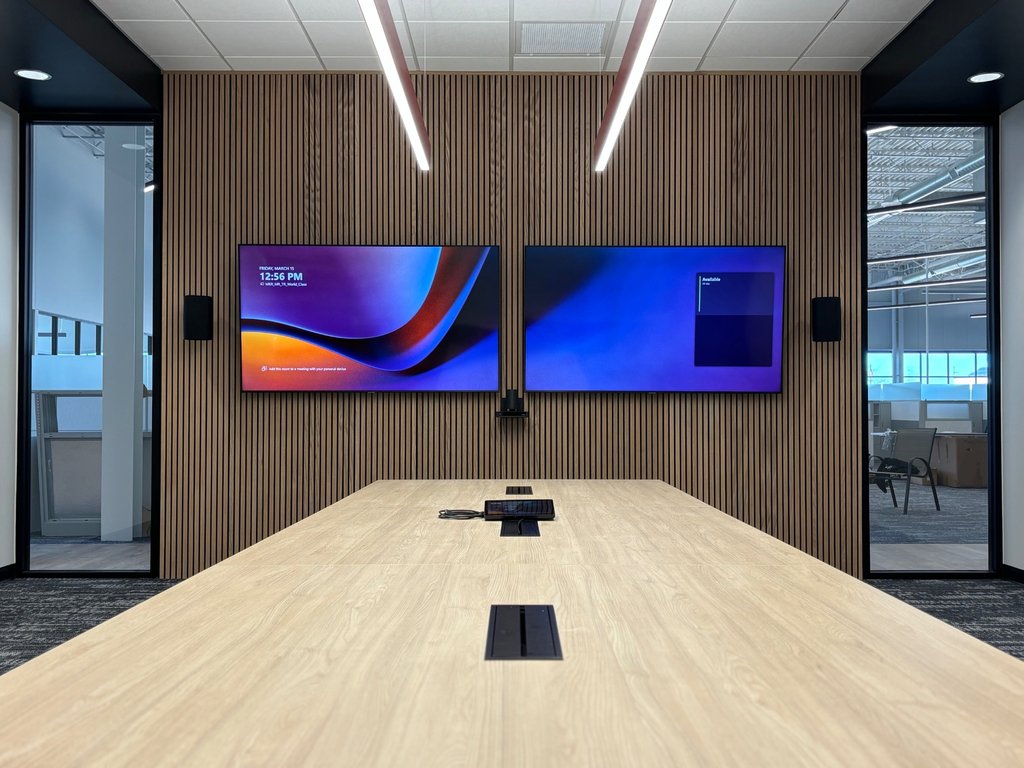
From huddle to boardroom — every Teams Room covered.
- Microsoft-certified MTR hardware paths (Logitech, Poly, Yealink, Crestron, Neat & More)
- Standardized configurations registered to your Teams Rooms Pro tenant
- Intune / Autopilot enrollment and conditional-access alignment with your IT
- Direct integration with our Managed Meeting Room Support for proactive monitoring
- Refresh and lifecycle planning for fleets of 10 to 1,000+ rooms
Certified hardware paths
We are platform-agnostic on brand — selection follows your IT standards.
Common questions
Do you support MTR on Android and MTR on Windows?+
Yes. We deploy both. Android is most clients default for standard and huddle rooms; Windows is recommended where you need a richer device-management story or complex integrations.
Can you integrate with our existing Intune and Teams admin center?+
Absolutely. Your team can enroll devices into Intune, register them in Teams Rooms Pro, and align with your conditional-access and compliance policies.
How fast can a Teams Room be deployed?+
A Momentum-standard Teams Room ships in 5–10 business days and installs in a single day per room. Multi-site rollouts run in parallel waves.
Do you deploy Microsoft Teams Rooms outside Michigan?+
Yes. We run nationwide Microsoft Teams Rooms deployment programs from our Troy, MI headquarters, with a 49-state install network under a single program manager and one standardized BOM.
Do you act as our AV integrator of record for MTR?+
Yes — design, procurement, installation, commissioning, and managed support all sit with one team, so there is no handoff between design and break/fix.
Rolling out Teams Rooms across the country?
As a Microsoft Teams Rooms AV integrator, we run standardized MTR programs from our Troy, MI headquarters across all 49 states — one BOM, one program manager, one managed-support handoff.
Deploying Teams Rooms in a government environment? See our government AV capabilities for our contracting profile and capability statement.
Microsoft Teams Rooms across Michigan
MTR installs and managed support delivered from our Troy HQ — same-day response across Metro Detroit and scheduled coverage statewide.
Planning something similar? These PDF guides walk through the decisions step by step.
See Teams Rooms in context: Royal Oak headquarters AV project and nationwide AV modernization program.
Ready to deploy Microsoft Teams Rooms?
Get a standardized BOM, timeline, and quote — usually within one business day.